
How to Schedule Your Lab Appointment
FAQ:
How do I schedule my lab appointment?
Answer:
Scheduling your lab appointment is simple and convenient. Here’s what you need to know:
🗓️ After purchasing your lab:
- Right after you purchase a lab, you’ll be guided through an easy, step-by-step scheduling process after checkout and order confirmation.
- 🛑 We ask that you schedule your appointment a minimum of three days after your order purchase date. More on that here.
- Example: If you order labs on a Monday, you can schedule your appointment for Thursday.
- Your appointment must be scheduled through the Levels member portal. Our scheduling flow specifically shows the Quest Diagnostics locations that are available to process Levels Labs orders.
- If a Quest location is not shown on our scheduling flow, but is shown somewhere else online, that means that the location is not compatible with Levels Labs.
- The scheduling tool is ZIP-code dependent, which means it will only show Quest locations within the exact ZIP you enter. It won’t automatically display nearby cities — so you may need to try a few nearby ZIP codes to see all available options.
🧐 Need to schedule later? No problem!
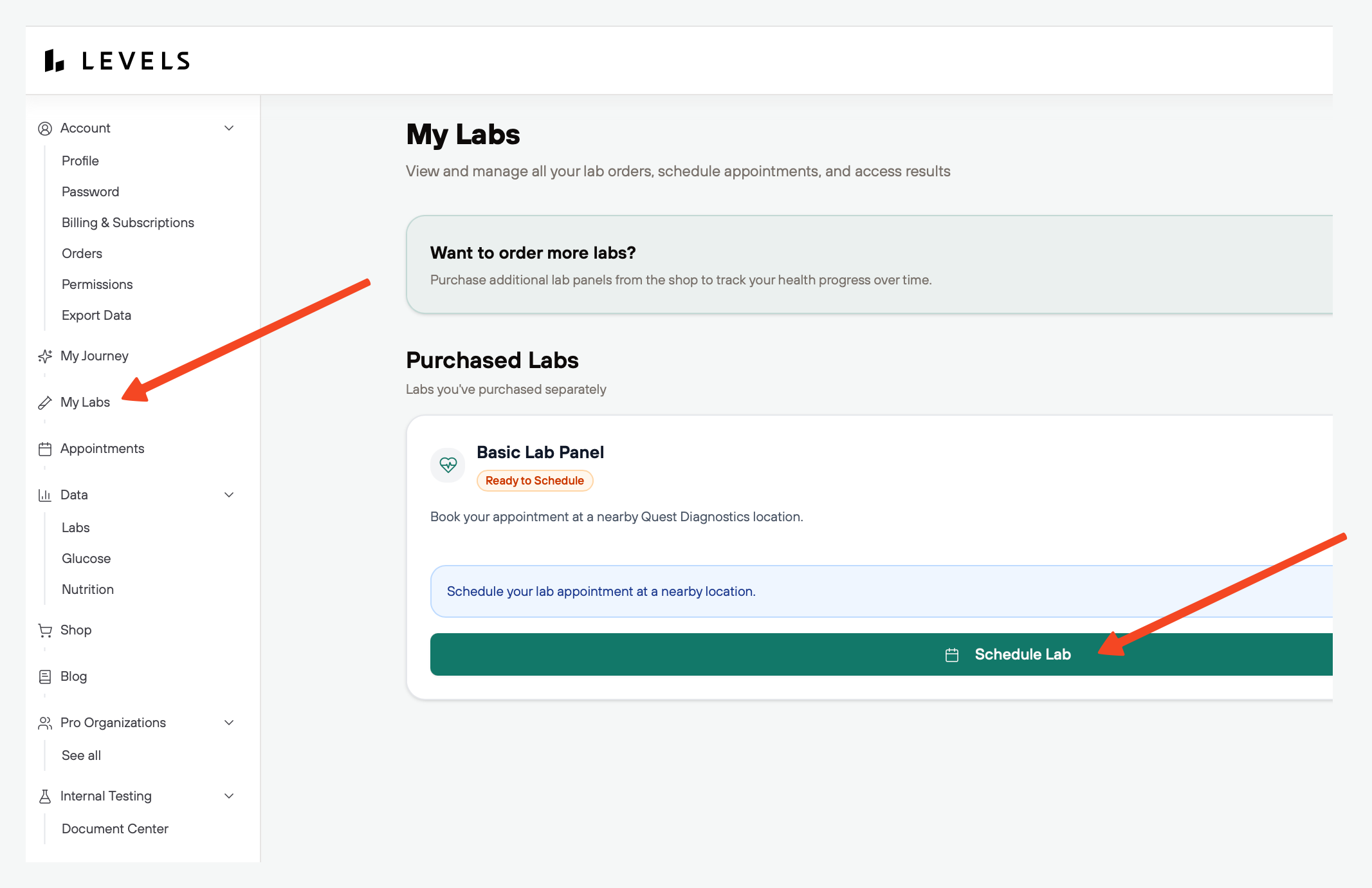
- If you don’t schedule your appointment after checkout, you can book at any time through the Member Portal. Just sign in and select ' MyLabs' from the left navigation bar!
Still have questions? Reach out to support at support@levels.com