
Sharing Your Labs With Your Doctor
We encourage you to share your Levels Labs results with your healthcare provider. Collaborating with your doctor can provide valuable context and support as you work together toward your health goals.
How to share your results
- Log in to your member portal.
- In the left panel, go to Health Data → Lab Results.
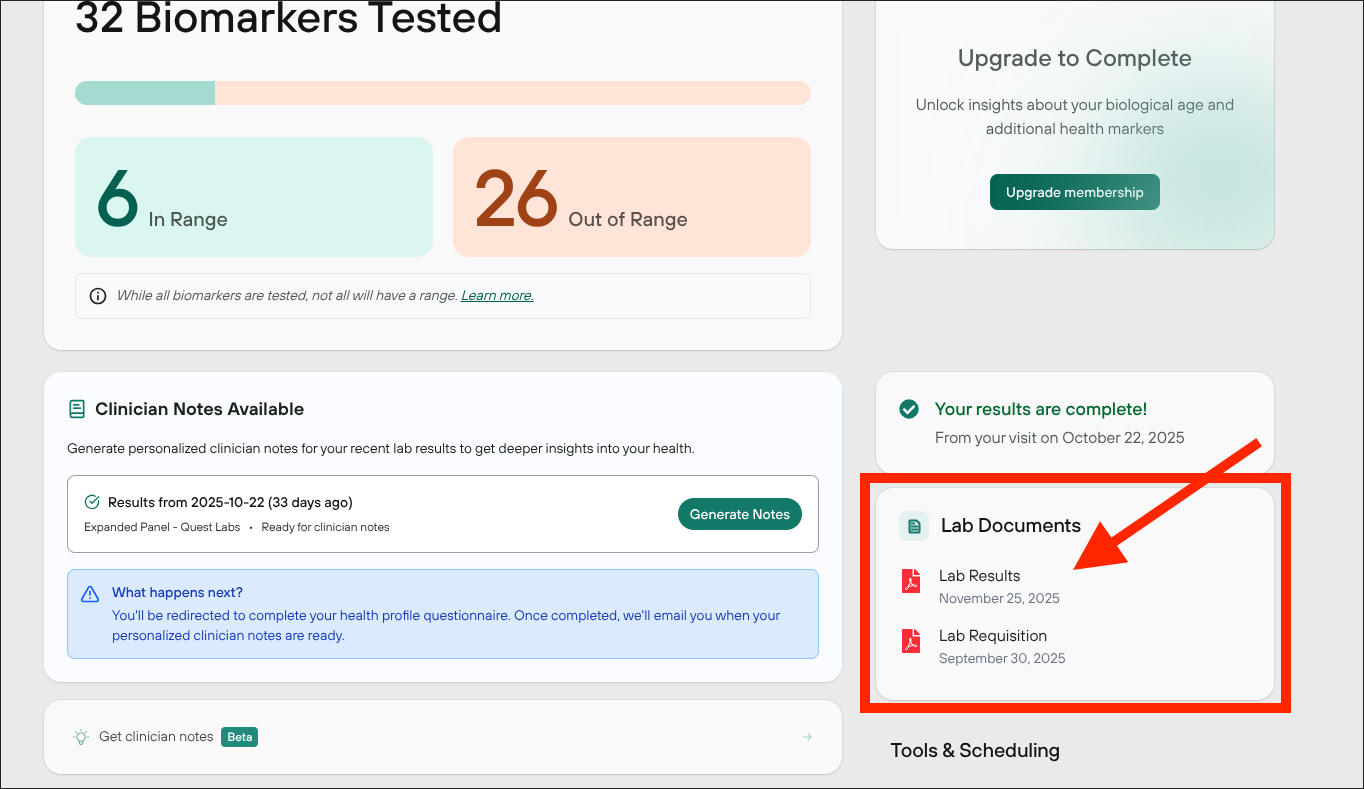
- In your Labs dashboard, look for the Lab Documents panel on the right.
- Download the PDF of your most recent lab results.
- PDF downloads are currently available on desktop.
- PDF downloads are currently available on desktop.
Share with your doctor
You can share the PDF with your doctor as a printed copy or by email. This can help guide conversations about your health and possible next steps.
Note
Levels Labs does not replace care from a clinician. It's meant to help you understand your health and have more productive conversations with your healthcare provider.