
How to Schedule Your Lab Appointment
Scheduling your lab appointment is quick and straightforward. Here's what to expect.
After purchasing your lab
Right after you purchase a lab, you'll be guided through an easy, step-by-step scheduling process after checkout and order confirmation.
Schedule through the Levels Member Portal
Your appointment must be scheduled through the Member Portal. Our scheduling flow shows the locations available to process your specific Levels Labs order.
Each order is tied to a specific lab partner (Quest Diagnostics, BioReference Laboratories, or LabCorp). Your lab draw must be completed at a location that matches the partner assigned to your order.
- If a location is not shown in our scheduling flow, but is shown elsewhere online, that location is not compatible with your Levels Labs order.
- The scheduling tool is ZIP code dependent, which means it will only show locations within the exact ZIP code you enter. It won't automatically display nearby cities, so you may need to try a few nearby ZIP codes to see all available options.
Need to schedule later?
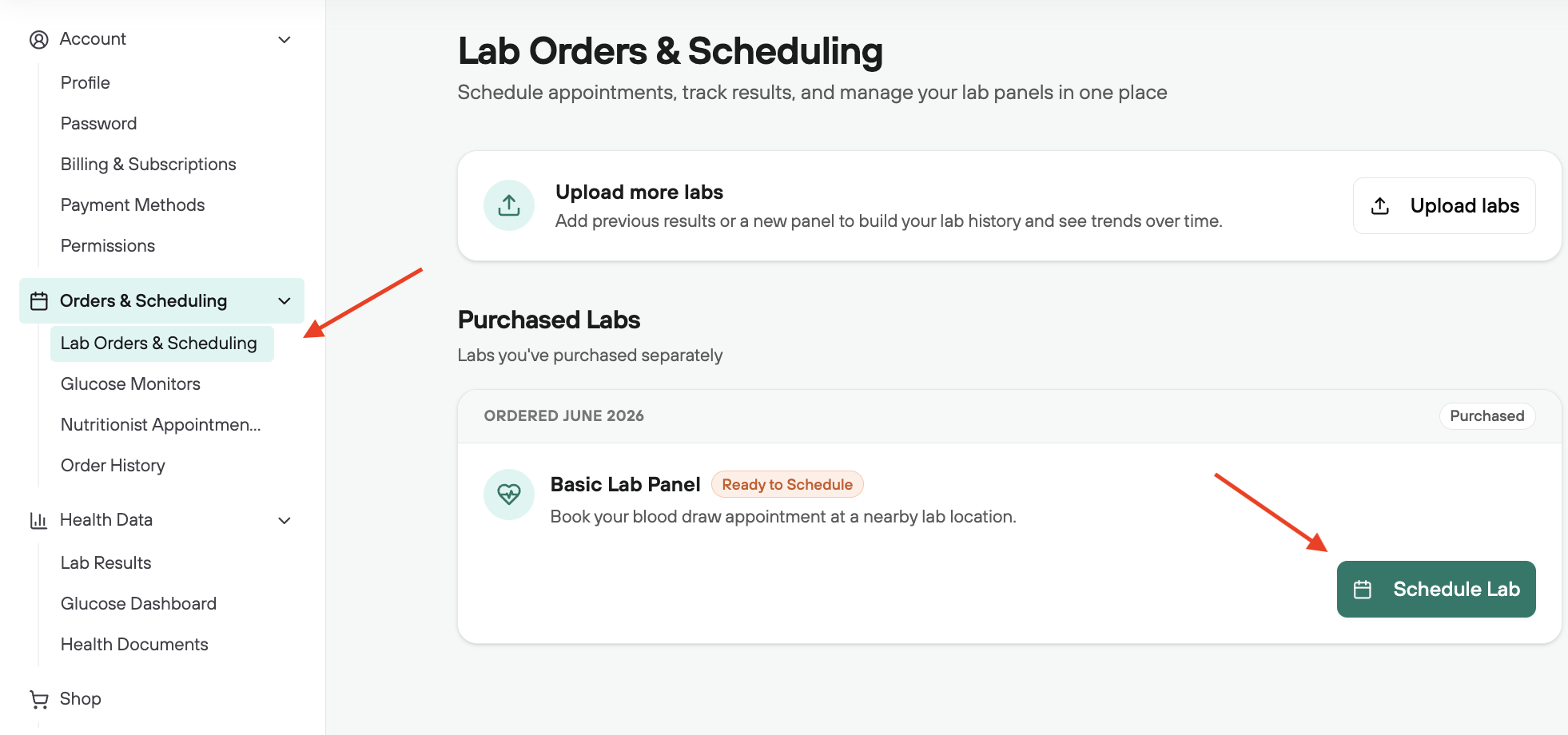
If you don't schedule your appointment after checkout, you can book at any time through the Member Portal. In the left panel, go to Orders & Scheduling → Lab Orders & Scheduling.
If you're in New York or New Jersey:
Labs in NY and NJ are fulfilled through BioReference Laboratories, not Quest Diagnostics. Keep in mind that these locations are walk-in only and will not have a set appointment time.